


Telecommunication Aids
Persons who are Deaf or have Hearing Impairments can communicate by telephone using certain types of Telephones and Assistive Devices known as Telecommunication Aids.
There are a wide variety of different types of equipment available, including Alerting devices, Text Telephones; Telephone Typewriters (TTY); Videophones, Amplified Telephones.
You will need to choose a Telecommunication Aid to suite your needs and preferences, so that you can remain as independent as possible.
To find out more about these Telecommunication Aids that can assist you, read the article below.
What Are You Looking For?
A. About Telecommunication Aids. Who can help?
1. Text Telephones
2. Telecommunications devices for the deaf (TDD)
including: Telepresence Systems
3. Telephone Alerting Devices
4. Paging Systems
5. Receivers
i. Types of Receivers
ii. Choice of Transmitters
iiii. Connecting to Other Systems
More About Telecommunication Aids
There are a wide variety of telecommunication aids available to assist persons with hearing impairments live as independently as possible, including Text Telephones; Telephone Typewriters (TTY); Videophones, Amplified Telephones. Alerting Devices are also available to Alert persons who are Deaf or have Hearing Impairments, so that they are aware when their telephone is ringing, or fire alarm going off, or there is someone at the door….
Software Apps are also available to provide assistance on mobile phones.
Thankfully, there are various Organizations and Companies such as Edit Microsystems, which offer a wide variety of these Telecommunication Aids and can also advise you on which Telecommunication Aids would best suit your needs and how to use the equipment that they supply.

Edit Microsystems (Pty) Ltd is an award-winning company that is devoted to finding alternative and state-of-the-art technical solutions to improve curriculum delivery in educational institutions and effective communication in business with a focus on high-speed functional connectivity and on-going support.
They have a proud tradition of innovation and are on the cutting edge of technological advances in education. Many of their products are designed to enhance interactivity in a classroom or lecture theatre.
Edit Microsystems are also a leader in finding and providing specially adapted hardware and software for Learners with Special Educational Needs throughout South Africa.
Edit Microsystems can be contacted on: 086 111 3973
Head Office: Cape Town – 13 Boy De Goede Circle, Table View, 7441.
They also have an online shop and branches in KwaZulu-Natal, Mpumalanga, Gauteng.
For more information: www.editmicro.co.za or email them at: info@editmicro.co.za.
1. Text Telephones
Persons who are Deaf can communicate by telephone using Text Telephones, also known as Telephone Typewriters (TTY), Textphone, Minicom and telecommunications device for the deaf (TDD).
Some of these devices look like typewriters or word processors and transmit typed text over regular telephone lines, thus allowing communication through visual messaging. lets people who are deaf, hard of hearing, or speech-impaired use the telephone to communicate, by allowing them to type messages back and forth to one another instead of talking and listening.
A TTY is required at both ends of the conversation in order to communicate.TTYs can transmit messages to persons who don’t have TTY by using the National Relay service which is an operator that acts as a messenger to each caller.
To use a TTY, you set a telephone handset onto special acoustic cups built into the TTY (some TTY models can be plugged directly into a telephone line). Then, type the message you want to send on the TTY’s keyboard. As you type, the message is sent over the phone line, just like your voice would be sent over the phone line if you talked. You can read the other person’s response on the TTY’s text display.
If you don’t have a TTY, you can still call a person who is deaf, hard of hearing, or speech-impaired by using the Telecommunications Relay Service (TRS). With TRS, a special operator types whatever you say so that the person you are calling can read your words on his or her TTY display. He or she will type back a response, which the TRS operator will read aloud for you to hear over the phone.
2. Telecommunications devices for the deaf (TDD)
A Telecommunications device for the deaf (TDD) is a teleprinter, an electronic device for text communication over a telephone line, that is designed for use by persons with hearing or speech difficulties. Other names for the device include teletypewriter (TTY), textphone
The typical TDD is a device about the size of a typewriter or laptop computer with a QWERTY keyboard and small screen that uses an LED, LCD, or VFD screen to display typed text electronically. In addition, TDDs commonly have a small spool of paper on which text is also printed — old versions of the device had only a printer and no screen. The text is transmitted live, via a telephone line, to a compatible device, i.e. one that uses a similar communication protocol.
ii. Cell Phones
Many digital cell phones are compatible with TTY devices, but many people want to replace TTY with Real-time text (RTT), which can be used on a digital cell phone or tablet without a separate TTY device.
iii. Videophone
A videophone is a telephone with a video display, capable of simultaneous video and audio communication between people in real-time. Videophone service provided the first form of videotelephony and have become widely available at reasonable cost. Although not widely used in everyday communications, they are particularly useful to the deaf and speech-impaired who can use them with sign language, and are becoming increasingly popular for educational instruction, telemedicine and to those with mobility issues.
After the introduction of The Videophone, a number of other products became available, including:
– Videophone Webcams
– Videoconferencing system
– High-definition telepresence
iv. Videophone Webcams
Videophone Webcams are popular, relatively low cost devices which can provide live video and audio streams via personal computers, and can be used with many software clients for both video calls and videoconferencing.
v. A Video conference system
A Video conference system is generally higher cost than a videophone and deploys greater capabilities.
A videoconference (also known as a videoteleconference) allows two or more locations to communicate via live, simultaneous two-way video and audio transmissions.
This is often accomplished by the use of a multipoint control unit (a centralized distribution and call management system) or by a similar non-centralized multipoint capability embedded in each videoconferencing unit. Again, technology improvements have circumvented traditional definitions by allowing multiple party videoconferencing via web-based applications.
vi. High-definition Telepresence
A telepresence system is a high-end videoconferencing system and service usually employed by enterprise-level corporate offices. Telepresence conference rooms use state-of-the art room designs, video cameras, displays, sound-systems and processors, coupled with high-to-very-high capacity bandwidth transmissions.
Typical use of the various technologies described above include calling or conferencing on a one-on-one, one-to-many or many-to-many basis for personal, business, educational, deaf video relay service and tele-medical, diagnostic and rehabilitative use or services. New services utilizing video calling and videoconferencing, such as teachers and psychologists conducting online sessions, personal video calls to inmates incarcerated in penitentiaries, and videoconferencing to resolve airline engineering issues at maintenance facilities, are being created or evolving on an ongoing basis.
Other devices for the deaf or hard of hearing
In addition to TDD, there are a number of pieces of equipment that can be coupled to telephones to improve their utility. For those with hearing difficulties the telephone ring and conversation sound level can be amplified or pitch adjusted, ambient noise can also be filtered. The amplifier can be a simple addition or through an inductive coupler to interact with suitable hearing aids. The ring can also be supplemented with extension bells or a visual call indicator.
TTY Etiquette
There are some etiquette rules that users of TTYs must be aware of. Because of the inability to detect when a person has finished speaking, (and the fact that two people typing will scramble the text on both ends) the term “Go Ahead” (GA) is used to denote the end of a turn, and an indication for the other person to begin typing.
3. Telephone Alerting Devices
The ability to hear a telephone ring will depend on a number of factors such as the severity of the hearing loss, the frequency of the telephone ring and the distance from the telephone to the person. If the individual does not respond to the sound of the typical telephone ring, there are a number of telephone ringers available which have adjustable volume, pitch, and ring patterns. Very often, a lower pitch ring can make it easier to hear. If the hearing loss is severe, there are devices that can assist.
These are called Alerting Devices and are assistive device that connect with telephones and other devices, that let a deaf or hard of hearing person know that some condition is occurring. These alarming devices or alert devices utilize innovative alerting technology to inform deaf or hearing impaired individuals of phone calls and add a specific alarm based on one’s disability, such as:
– flashing lights – a telephone that blinks a light instead of a noise to indicate someone is phoning.
– Vibration – a body worn unit to vibrate, or a bed-shaker to vibrate when sleeping.
– Extra loud alarms – most amplified telephones have options for volume, pitch and pattern as well as a small flashing light to indicate the phone ringing.
These Alerting Devices can include specially designed phones.
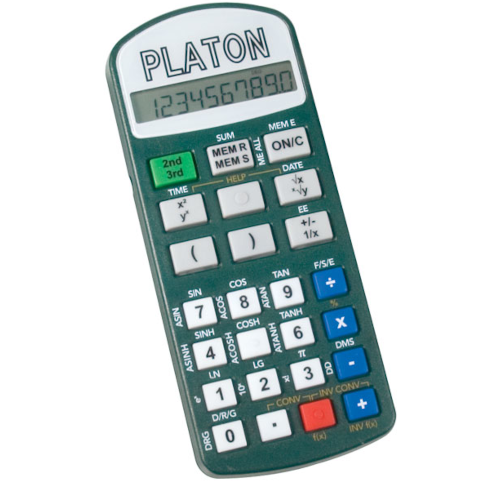
There are a variety of different types of Alerting Devices that can be used as Telephone Alerting Devices, many of these are available in South Africa from Companies and Organizations such as Edit Microsystems who sell the following:
4. Paging Systems
Bellman Visit 868 Paging System
The Bellman Visit 868 is a customizable system of transmitters and receivers designed to allow someone with a hearing impairment to be alerted to various events in their home, such as a doorbell,smoke alarm or even a baby crying.
The Bellman Visit 868 System consists of a number of radio transmitters and receivers. The transmitters detect different events in the surrounding area and transmit a radio signal to the receivers. The receivers pick up this signal and provide indications using light, sound and/or vibration.
And, instead of lugging round several different flashing and vibrating receivers for each alert, the Bellman system will alert you to everything, via one simple device that you choose.
5. Receivers
Types of Receivers
The receiver is the method of alerting the user, various types of receivers are available.
Flash Receiver – for indoor use, attracts attention with a flashing light, light signal, and also by vibration if a Bellman Bed-shaker (accessory) is connected
Portable Receiver – for indoor use, attracts attention user using sound, light and also vibration if a Bellman Bed-shaker (accessory) is connected
Portable Audio Receiver – for indoor use, attracts attention using sound and light
Pager – for indoor use, attracts attention using light and vibrations. Connects to a Charger, charging for up to 8 hours, and can connect to a Bellman Bed-shaker (accessory)
Alarm Clock – for indoor use, attracts attention using sound and light signals and also vibration if a Bellman Bed-shaker (accessory) is connected
Portable Flash Receiver – for indoor use, attracts attention with a flashing light, light signal, and also by vibration if a Bellman Bed Shaker (accessory) is connected
Wrist Receiver and Charger – for indoor use, attracts attention using light and vibrations
Guard Receiver – The Guard Receiver is the central unit in a Smoke Alarm System. The Guard receiver works like a normal receiver and provides indications using flashing lights, LEDs and vibration. In addition, it monitors whether there are faults or problems with the vibrator, radio contact with the smoke alarms or whether the batteries are becoming flat. If there is a fault, the Guard Receiver will give a warning.
Choice of Transmitters
Door Transmitter – recognises the sound emitted by a doorbell
Pushbutton Transmitter -for indoor use and outdoor use in sheltered locations, transmits signals to the receiverswhen the Pushbutton is pressed
Telephone Transmitter – for indoor use, recognises ring signals from an analogue telephone system via a plug, which is inserted into the telephone socket. In addition to using the telephone input, the telephone transmitter can also operate as a multifunction transmitter, either via a pushbutton or via 2 connectors for an external trigger.
All inputs can be detected separately and transmit different signal patterns to the receivers in the Bellman Visit 868 system depending on which has activated thetelephone transmitter.
Connecting to other Applications
There is a range of options for connecting the telephone transmitter to various applications.
Smoke Alarm – for indoor use, detects smoke and heat. Most effective as part of the Fire Alarm System
Baby Cry Transmitter – for indoor use, recognises the sound from a crying baby
Repeater – for indoor use, receives a radio signal from a transmitter in the Bellman Visit 868 System and transmits this radio signal to the receivers in the system
Bridge – for indoor use and operates as an interpreter, which conveys radio signals between the Bellman Visit and Bellman Visit 868 systems
Smoke Alarm Transmitter – indoor use, detects smoke. When smoke is detected, the Smoke Alarm will transmit a fire alarm signal to all Bellman Visit 868 receivers which are within its range
A Bellman Visit 868 Fire Alarm System consists of:
1 Bellman Visit 868 Guard Receiver BE1465
1 Bellman Bed Shaker BE1270
1 Bellman Visit 868 Smoke Alarm BE1480 (a maximum of 8 can be used)